
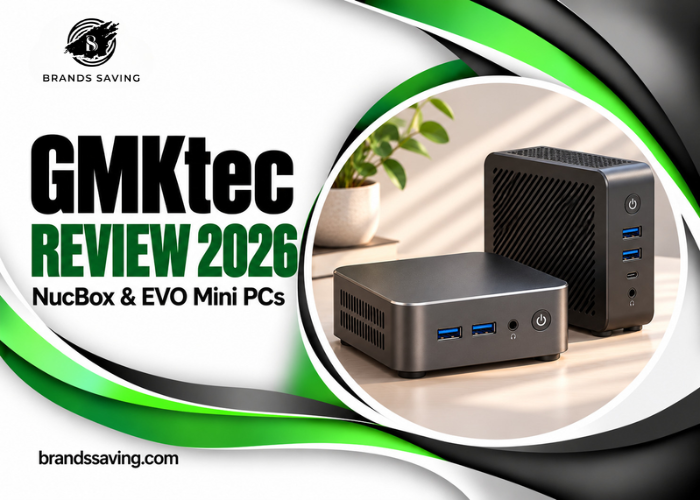
A mini PC can clear a crowded desk, turn a spare monitor into a workstation, or run services at home without taking up a shelf. The tricky part is deciding how much performance and expansion you need before the savings disappear. GMKtec’s NucBox and EVO ranges span basic office machines, compact gaming systems with external graphics support, and expensive workstations built around high-capacity shared memory. They make sense for very different buyers even when the cases look similar.
This GMKtec review focuses on seven models sold through the German storefront. It compares what each model offers for everyday work, light gaming, home servers, and local AI, then puts those differences in the context of complete-system pricing. The assessment draws on published specifications, independently reviewed systems where available, and the retailer’s published terms. Configuration and service details matter as much as chip names once you’re choosing what to order.
Quick Verdict
Start with the M6 Ultra for everyday work or compare the K12 and K8 Plus if you want stronger integrated graphics and more expansion. The EVO-X2 earns its premium when a specific workload benefits from its graphics or large shared memory. Check the complete configuration price and ask GMKtec to confirm warranty coverage before ordering.
Find the right configuration first
Use the German catalog to compare barebones and complete systems, then open the exact variant to check the price and dispatch estimate.
Browse GMKtec Mini PCs →What Is GMKtec?
GMKtec sells compact desktop computers under the NucBox and EVO names. The NucBox family covers a wide range of budgets, and the number in a model name is a poor guide to how two machines will perform. The M7 Ultra uses an older Ryzen PRO chip with capable integrated graphics, while the M6 Ultra uses a newer six-core architecture. In the EVO range, the EVO-X1, EVO-X1 Pro, and EVO-X2 are distinct products with different processors, memory arrangements, and upgrade options.
Think of these computers as small desktops built around laptop-style processors. They typically integrate the graphics processor into the main chip and rely on compact cooling systems. Some let you replace the memory and storage, and selected models have a dedicated connection for external graphics. Compact size makes them flexible around the house or office, though it also makes port placement, cooling, and access to components more important than they would be in a tower.
GMKtec NucBox and EVO Models Compared
NucBox M5 Ultra, M6 Ultra, and M7 Ultra
The NucBox M5 Ultra uses a Ryzen 7 7730U with eight cores, DDR4 memory, and older integrated Radeon graphics. It makes sense for document work, browser-heavy days, and general household computing if the complete bundle is priced well. Its two M.2 slots give you room to add storage later. Look at its delivered price next to the M6 Ultra before committing, especially if you are starting without spare memory or drives.
The NucBox M6 Ultra moves to a six-core Ryzen 5 7640HS and DDR5. The newer architecture makes it a sensible default for productivity buyers weighing it against the M5 Ultra. GMKtec lists two M.2 SSD slots and dual 2.5 GbE, so it can also suit a home office that doubles as a small lab. Its Radeon 760M is useful for light graphics workloads, but buyers targeting specific games should check results at their intended resolution and settings.
The NucBox M7 Ultra combines the eight-core Ryzen 7 PRO 6850U with Radeon 680M graphics, DDR5, two 2.5 GbE ports, and OCuLink. Those connections are more compelling than the Ryzen PRO badge for a buyer putting together a home server or planning to attach external graphics. Choose it when the port mix matches a real requirement and the configured price compares well with the K-series. The M6 Ultra remains appealing for a straightforward office setup with no external GPU plans.
NucBox K12 vs. K8 Plus
The NucBox K12 uses the eight-core Ryzen 7 H 255 with Radeon 780M graphics. GMKtec specifies three M.2 slots, two 2.5 GbE connections, and a USB4 port. ChineseMiniPC.eu’s K12 review also documents the OCuLink connection. The third drive slot is a practical advantage if you want dedicated space for a system drive, project files, and a separate local data volume, though you’ll still need backups outside the machine.
The NucBox K8 Plus uses the Ryzen 7 8845HS, also with Radeon 780M graphics. It has two M.2 slots and GMKtec lists two USB4 ports. That can be useful if you already own high-speed peripherals and want separate connections for a dock and external storage. Check GMKtec’s configuration selector and specification notes carefully, since the same page advertises a 64 GB variant while describing a lower memory expansion ceiling in its summary.
These two are close enough in purpose that a single benchmark rarely settles the choice. A buyer with an existing USB4 workflow may get more use out of the K8 Plus’s second port, while a small server build may get more out of the K12’s extra drive slot. Compare with the same memory capacity and SSD size, and pay attention to the specific ports available on the front and rear. The best-value model is the one that saves you from buying adapters or external enclosures for jobs you already know you’ll do.
EVO-X1 Pro vs. EVO-X2
The EVO-X1 Pro uses the Ryzen AI 9 HX 470 with Radeon 890M graphics, 64 GB of onboard memory, two M.2 slots, and OCuLink, according to GMKtec. The processor and graphics give it a different role from the cheaper NucBox systems, particularly for buyers who run demanding CPU jobs and want a path to an external GPU. The memory is fixed. If your work already pushes 64 GB, there’s no straightforward upgrade when that ceiling becomes a problem.
The EVO-X2 uses the Ryzen AI Max+ 395 with Radeon 8060S graphics. The German page lists 64 GB and 128 GB memory configurations and explicitly describes the LPDDR5X as non-upgradeable. Large shared memory can be useful for local model inference or workloads that need substantial GPU-addressable memory in a small chassis. Tom’s Hardware tested the 64 GB version, so its results should be read in the context of that configuration, application, and test settings.
Design and Desk Setup
Measure the space behind your monitor as well as the footprint on the desk. A thick display cable, USB dongle, or right-angle power attachment can determine where a mini PC actually fits. Check the external power supply and cable routing before planning a clean wall or monitor mount, and leave room around the air intakes and exhaust. If the computer will live in a media cabinet, think about where warm air will go during a long game or render.
Serviceability also varies by design. Installing memory in a barebones NucBox can save money if you already have compatible parts, and extra internal storage is convenient if you prefer to avoid a drive hanging off the back. On EVO models with onboard memory, buy the capacity you expect to need over the useful life of the computer. SSD expansion can give you more space for projects or model files, but it cannot solve a shortage of working memory.
Performance and Practical Use
Everyday work, networking, and light gaming
For remote work, a busy browser, and spreadsheets, a well-configured M5 Ultra or M6 Ultra is often a better place to start than a flagship. RAM and storage affect how the computer feels when you have a meeting, several browser windows, and a large document open at once. If the device will run virtual machines or a development environment alongside your everyday applications, price a larger memory configuration before paying for a faster graphics processor. For any multi-monitor setup, verify the resolution and refresh rate you want on the exact ports you plan to use.
For gaming, K12 and K8 Plus buyers should treat Radeon 780M as an integrated graphics option and research games individually. Lighter titles and settings are a better starting point than expectations set by a dedicated gaming desktop. The GamesRadar+ K8 Plus review found it suitable for lighter gaming and raised concerns about the reviewer’s Wi-Fi experience. That report makes a wired connection worth considering for the intended setup, especially if the PC will sit far from the router.
OCuLink can make sense when you already own a graphics card and want to use it with a compatible dock. Add the dock, power supply, and any cables to the system price, and check the connection procedure for the hardware you choose. The assembled setup takes up more room than the computer alone. For a home server, the same buying discipline applies to network ports: two 2.5 GbE ports are valuable if you have a clear use for both, and the rest of your network needs compatible equipment to benefit from the higher link speed.
Local AI, graphics software, and sustained workloads
The EVO-X2 makes the strongest case for itself when you can name the model, application, or dataset that needs the memory. A larger memory pool is valuable only if the runtime and backend can use it effectively. Compare the exact model size, quantisation, operating system, and GPU backend against results from a similar configuration. If a tool depends on NVIDIA CUDA, verify whether its alternatives support the features and performance you need before choosing AMD hardware.
Tom’s Hardware reported that its EVO-X2 produced good 1080p gaming results and that CPU-heavy tests made the fans more noticeable than gaming did. Treat that as a useful example of how acoustics can change with the workload. A compact workstation that stays acceptable during a game may sound different while compiling code or pushing several CPU cores for a sustained period. If the machine will sit beside a microphone, compare noise results for that kind of load where reviews provide them.
German Pricing and Value for Money
The prices below were displayed on GMKtec's German storefront when researched on 19 November 2026. The product pages and catalog do not always surface the same configuration, so the table identifies the basis for each figure. Check the selected RAM, SSD, operating system, and delivery estimate before using any of these prices in a comparison.
| Model | Observed price | What the price represents |
| M5 Ultra | €319.99 | Barebones on the product page. |
| M6 Ultra | €259.99 | Barebones on the product page. |
| M7 Ultra | €529.99 | 16 GB RAM and 512 GB SSD on the product page. |
| K12 | €849.99 | 32 GB RAM and 1 TB SSD on the product page. |
| K8 Plus | €389.99 | Barebones on the product page. |
| EVO-X1 Pro | €1,499.99 | Catalog price, with the model marked sold out in the catalog consulted. |
| EVO-X2 | €2,029.99 | 64 GB RAM and 1 TB SSD shown with the displayed price. Check dispatch for the selected variant. |
Barebones is usually most attractive when you can reuse the right memory and SSD or have priced the exact components you want. GMKtec’s barebones selections on the listings above identify the missing components and operating system. A ready-to-use system has clearer upfront costs, particularly if you need the included Windows installation and want to avoid choosing compatible parts. Compare total prices with the same storage capacity and memory rather than using a category tile as a proxy for a working computer.
The price gap is especially consequential at the top end. If a machine mainly handles browser work, code editing, or occasional gaming, a cheaper model leaves room for a better screen or more storage. The EVO-X2 is easier to justify when buying a larger memory configuration makes a specific workload feasible. Check both which configuration can be ordered and its shipping estimate, since the product page showed dispatch information by variant.
Compare the total for the version you need
Select your memory and SSD, then check what ships with the system and when that exact variant is expected to dispatch.
Check German Store Pricing →GMKtec Pros and Cons
| Pros | Cons |
| Several sensible options for a compact office setup | Similar names can hide large differences in hardware. |
| Selected NucBoxes offer replaceable memory and multiple SSD slots | Barebones prices omit RAM, storage, and the operating system. |
| Dual 2.5 GbE on several models | Its value depends on the network and workload. |
| OCuLink on selected models | External graphics brings extra hardware, cost, and desk space. |
| EVO-X2 offers a high-capacity shared-memory option | EVO memory is fixed on the two models covered here. |
| Independent reviews cover specific models and workloads | German storefront warranty wording is inconsistent. |
Who Should Buy a GMKtec Mini PC?
GMKtec is a good fit for buyers who know which ports, storage, and memory they need and want to fit them into a small case. It is also worth comparing if you can build around an existing SSD, compatible memory, or a wired network. The range is broad enough to address those needs without requiring everyone to spend workstation money.
| Buyer | Where to start |
| Office, study, and browser work | M6 Ultra. Compare the M5 Ultra if the complete bundle is cheaper. |
| Home lab or storage-heavy setup | K12 for its third M.2 slot. Compare the M7 Ultra if its port mix covers the job. |
| Light gaming with USB4 peripherals | K8 Plus or K12. Look up results for your games and compare complete prices. |
| Local AI or graphics workloads that need substantial shared memory | EVO-X2 after checking application support and both memory options. |
Who Should Look Elsewhere?
A conventional desktop deserves a look if you expect to replace the graphics card internally, need extra PCIe hardware, or regularly run long jobs where noise is a priority. Buyers who need CUDA should compare systems that already include the appropriate graphics card alongside the price and space required for an external setup. If you depend on quick repairs for paid work, prioritise a seller with a clear support path and predictable turnaround.
Customer Feedback, Warranty, and Returns
The German storefront’s Trustpilot profile contains reports of both helpful email support and problems involving dispatch, delivery, or order cancellation. The feedback is a small, self-selected sample. It is more useful for identifying questions to ask than for predicting the experience of a typical buyer. Match the reviews to the seller and region you intend to use, since comments about the global shop or a marketplace listing may describe a different fulfilment process.
GMKtec’s German warranty and returns page refers to two years of support in one passage and a one-year limited hardware warranty in another. It also describes a 15% restocking deduction for non-fault returns under its published terms. EU consumers also have statutory protections for faulty goods and generally have a 14-day withdrawal right for online purchases, subject to exceptions. Check the EU consumer guidance and ask the seller to confirm its commercial warranty, return address, and freight responsibilities in writing. If a dispatch date matters, keep a copy of the variant listing and order confirmation so you have the same information to hand when contacting the seller.
GMKtec vs. Beelink and Minisforum
A useful comparison starts with a specific configuration and the same destination. The SER8 and UM890 Pro provide reference points for K-series buyers who want to assess a similarly compact AMD system. Check the seller, connectivity, and parts access alongside the advertised chip. A modest price gap can make sense if it pays for the ports you need or clearer service options.
| Mini PC | Why compare it? | What to check |
| GMKtec K12 or K8 Plus | Radeon 780M options with different storage and USB4 priorities. | Priced configuration, port layout, and warranty terms. |
| Beelink SER8 | A direct Ryzen 7 8845HS comparison for the K8 Plus. | Storage options, required ports, and seller support. |
| Minisforum UM890 Pro | Another compact AMD option with manufacturer documentation for an OCuLink adapter. | How the adapter fits your build and what comes with the version being sold. |
Frequently Asked Questions
Is GMKtec a good mini PC brand?
GMKtec is worth considering if you want a compact system with a specific mix of memory, storage, and ports. Compare the exact configuration with alternatives and check the seller’s warranty terms, especially if the computer will be used for work.
Is the GMKtec K12 better than the K8 Plus?
The K12 is easier to recommend if you want three internal M.2 slots. The K8 Plus is attractive if you want two USB4 ports. Both have Radeon 780M graphics, so compare complete prices and measured performance for the tasks you care about.
Which NucBox is best for office use?
Start with the M6 Ultra and compare the M5 Ultra at the same memory and storage capacity. The M6 Ultra has a newer processor architecture and DDR5, while the M5 Ultra remains a reasonable choice when an office-ready bundle costs less.
What does barebones mean on GMKtec’s German store?
The barebones variants discussed here are sold without RAM, an SSD, or an operating system. Budget for those separately or reuse compatible parts. Select the correct variant before ordering if you expect a ready-to-use Windows PC.
Can you upgrade RAM on the EVO-X2 or EVO-X1 Pro?
GMKtec lists onboard memory on both models. Choose the capacity you need when buying. Their SSD expansion options can give you more space for software and files, but they do not increase the amount of working memory.
Can a GMKtec mini PC run modern games?
It depends on the model and game. The K12 and K8 Plus are credible starting points for lighter gaming at sensible settings. The EVO-X2 has stronger integrated graphics, while demanding games and specific frame-rate targets are best evaluated with model-specific tests.
Is the EVO-X2 worth it for local AI?
It can be if your tools support the hardware and your models benefit from the larger shared-memory pool. Check whether your preferred backend works with the exact model and operating system. For modest workloads, a less expensive machine may be enough.
Which GMKtec model suits a home server?
The K12 is useful if you want three M.2 slots and two 2.5 GbE ports in one small machine. The M6 Ultra also has dual 2.5 GbE and two M.2 slots, which may cover a simpler setup at a lower price.
How long is GMKtec’s German-store warranty?
The German policy page gives two different durations, referring to two years in one passage and a one-year limited warranty in another. Ask GMKtec for written confirmation of the coverage, claim procedure, and shipping responsibilities for your order.
Final Verdict
GMKtec’s strongest appeal is the range of useful configurations it can fit into a small case. Start with the M6 Ultra for everyday work, and move to the K12 or K8 Plus when you can point to a storage, graphics, or port requirement that justifies it. Look at the EVO-X2 when you know your software can use its graphics and shared memory, and choose the memory size with the workload in mind. Across all seven models, the exact checkout configuration and the seller’s written service terms are better buying guides than the name on the box.
Shortlist your GMKtec mini PC
Check the version that matches your workload, then confirm dispatch and warranty details for that configuration before placing the order.
Visit GMKtec Germany →